
Sprance | A social fitness and run-tracking app.
Overview
Sprance is a social fitness and run-tracking mobile application designed to turn running into an enjoyable, connected habit while capturing granular race telemetry, facilitating local runner discovery, and driving motivation through gamified leaderboards.
Design Process
For the design process, I followed 5 critical steps. Note that the steps are non linear
[Empathize] → [Define Problem & Goals] → [Ideate] → [Prototype] → [Test & Iterate]
The Problem
Running is one of the most accessible forms of exercise, but users find it hard to enjoy & track important data from each race taken.
The Goal
To design an intuitive, high-visibility mobile app that makes running inherently enjoyable while effortlessly capturing critical race data.
Research
The research phase is to understand the user's feelings, behaviors, & pain points and also validate my hypothesis without bringing my own biases into it. It includes, user interviews and competitive analysis.
Competitor's Analysis
To understand how existing platforms attempt to solve the research gap, we analyzed three companies that have tried to solve this & related problems.
They include:
 Strava
 MapMyRun
 Go App
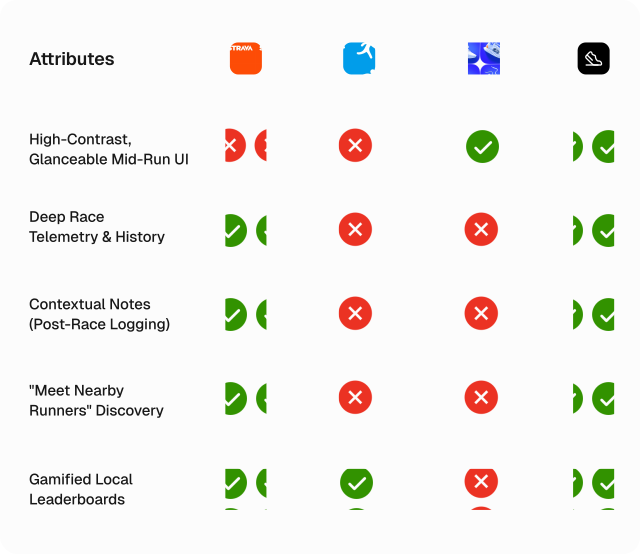
Based on data from our analysis. There is a distinct gap in the market for an app that balances heavy data visualization with high-enjoyment social features.
User Personas
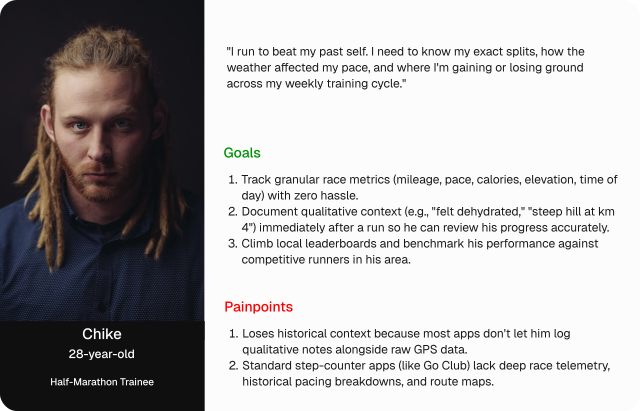
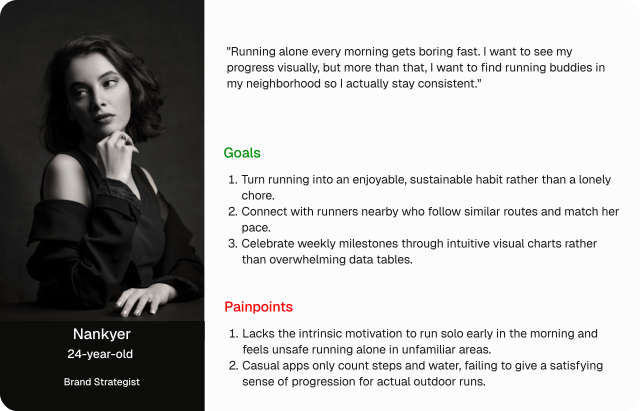
To ensure the Sprance app addresses the full spectrum of user friction, we synthesized our research into two distinct archetypes: the hesitant newcomer and the efficiency-driven veteran.
Defining The Core Features
To solve the gap between raw data tracking and community enjoyment, Sprance was built around four core functional pillars.
- Frictionless Mid-Run Tracking- The Glanceable UI
- Comprehensive Race Telemetry Hub
- Contextual Post-Race Summaries
- Hyper-Local Social Discovery & Leaderboards
Paper Wireframes
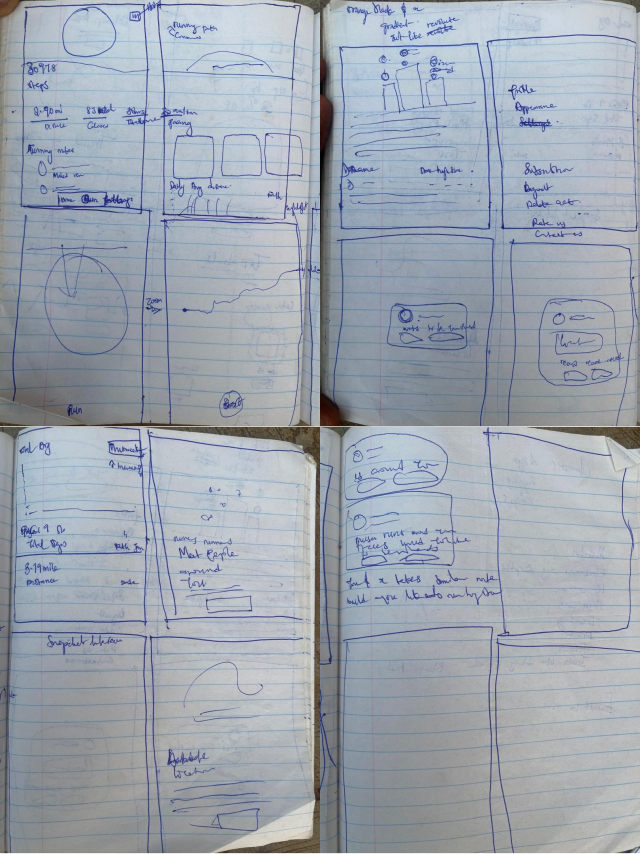
To begin the design stage, I designed, brainstormed, added and removed ideas on a paper wireframe to help give a quick view of the final design, tailoring them to the core features above.
The Final Design
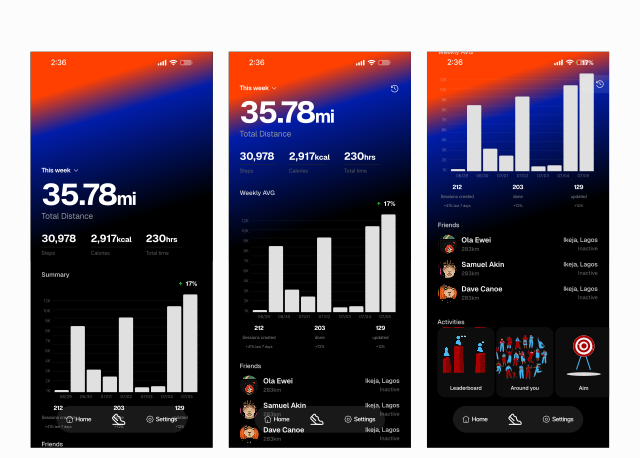
I converted the completed paper wireframes to the HIFI screens.
The Homescreen : This is the homescreen, it shows a quick summary the races a user has recorded, the friends and activites
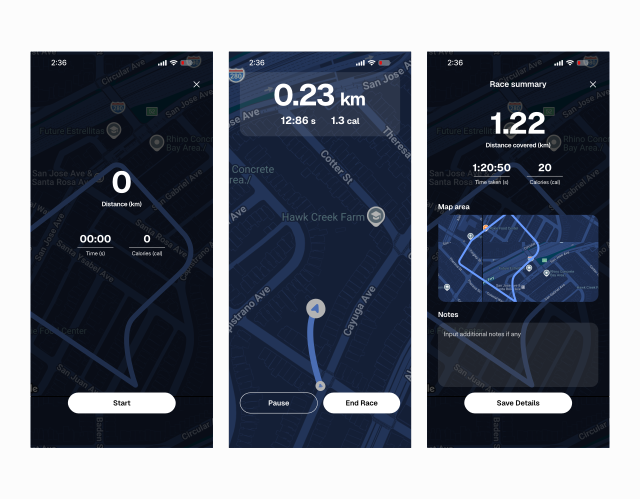
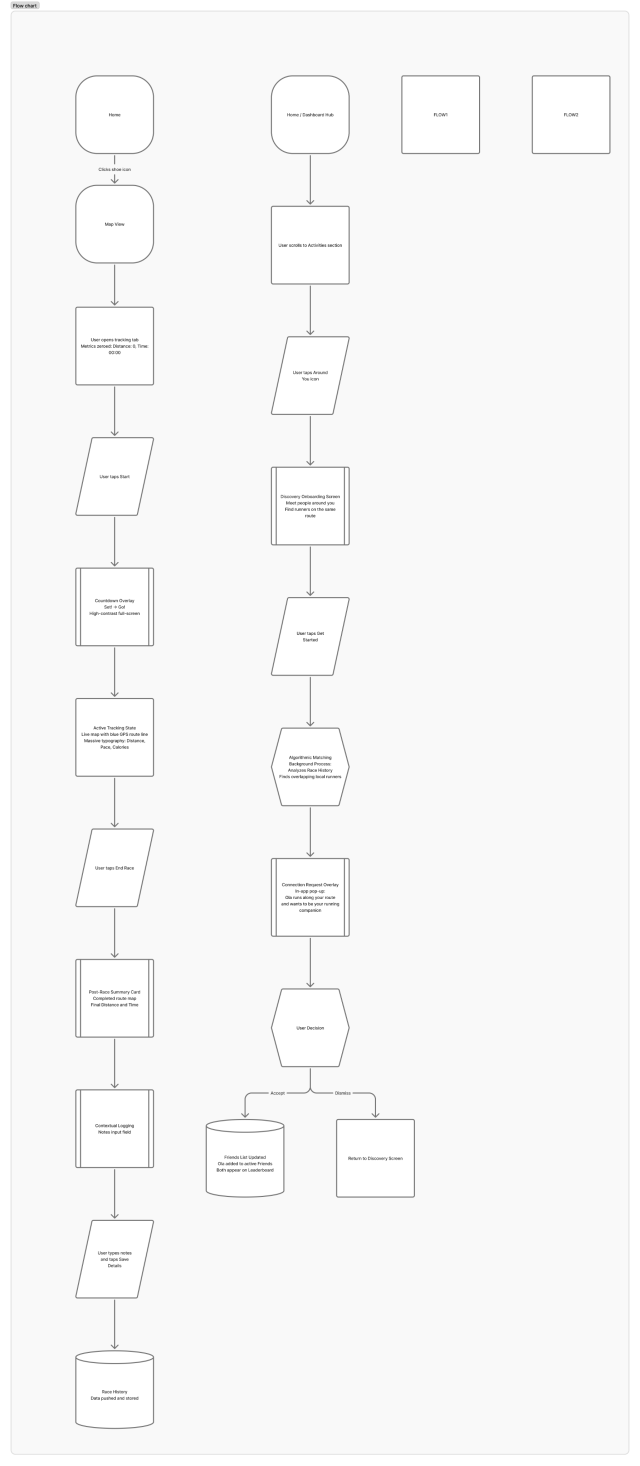
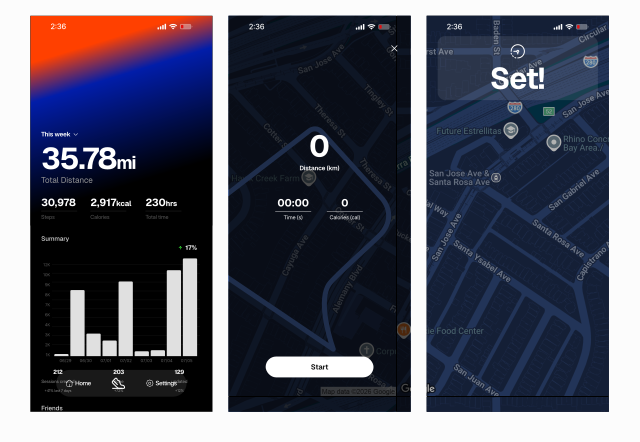
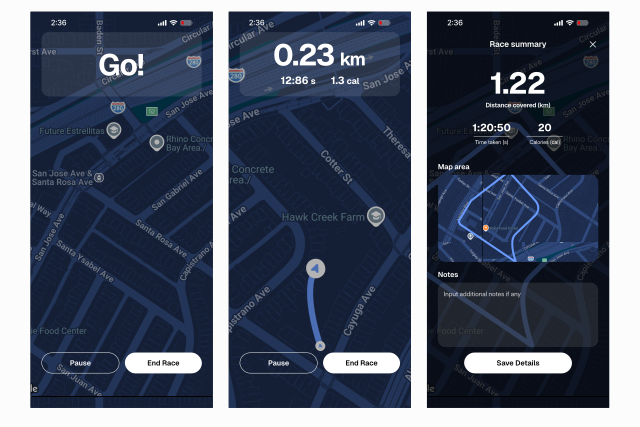
Starting & saving a run: This flow shows how a user start, record and save data from a run
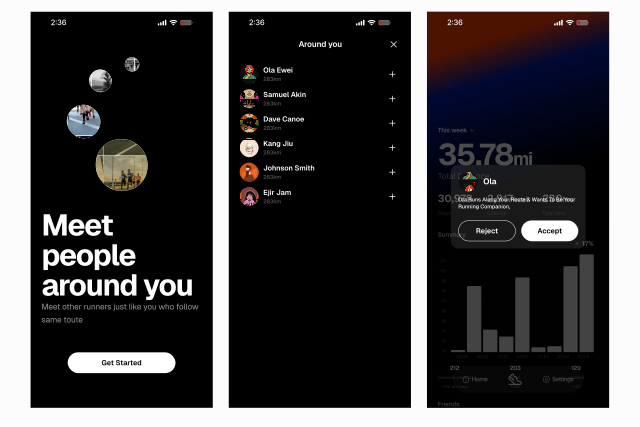
Socializing in app: This screens shows how users socialize and meet runners
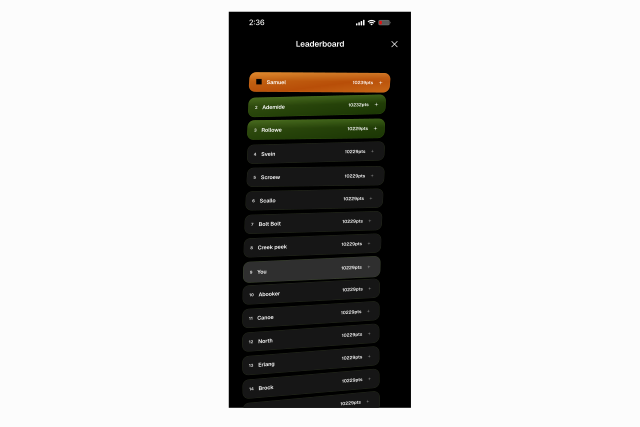
The leaderboard: This gamified Leaderboard allows the app ranks users against their friends and local community based on distance covered and pace.
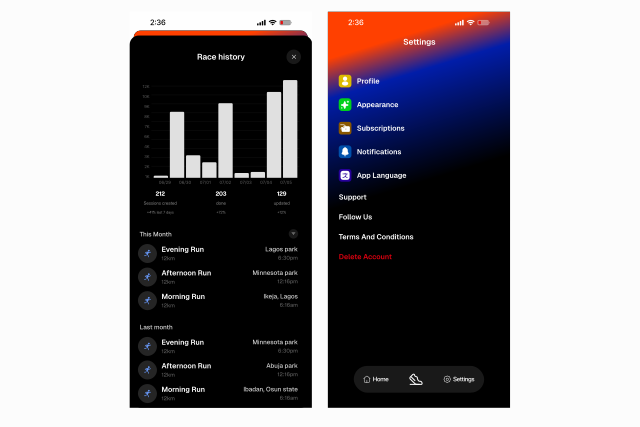
Other screens
User Impacts
- Smarter, Context-Driven Training
- Safer, Distraction-Free Runs
- Sustained Motivation & Reduced Churn
Anticipated Business Impact
A product that reduces friction directly improves business performance metrics.
- Retention Through Habit-Looping: The combination of personal data tracking (investment) and community leaderboards (variable reward) creates a highly “sticky” product, directly increasing Daily Active Users (DAU) and reducing app uninstalls compared to basic, isolated step-trackers.